
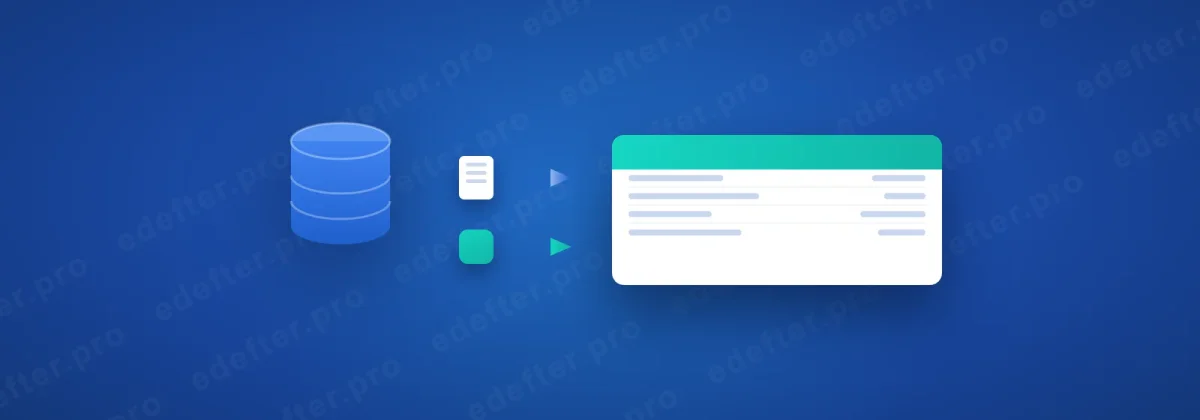
Accounting software e-Ledger integration is the transfer of records from your accounting program into the software that produces the e-Ledger, where they turn into a journal and general ledger. There are two ways to do it. The first is file transfer: an output is taken from your program and uploaded to the system. The second is database-connected integration: a program installed on the main computer connects to the accounting software's database and pulls the records directly. Both reach the same result, but they work differently.
Author: e-Defter PRO Content Team. The field team that connects accounting software to e-Ledger processes.
An accountant vented last period. "Every month I pull the report from the program, tidy it up, then upload it to the system. Half my day is gone."
It did not have to be. Not at all.
The program she used allowed a database-connected integration. After setup, records moved across without a manual export. This article explains what integration is, how the two models work and which one fits you. You can find the basics of e-Ledger in our what is e-Ledger guide.
What You Need to Know
- Integration is the transfer of records from an accounting program into the software that produces the e-Ledger.
- There are two models: file transfer and database-connected integration.
- In file transfer, an output is taken from the program and uploaded; Luca works this way.
- In a database connection, a program installed on the main computer connects to the database and pulls records directly.
- Records from common commercial programs like Logo, Zirve and Mikro can be transferred to the e-Ledger.
What is accounting software e-Ledger integration?
Integration is the move of the records you keep in your accounting program into the software that produces the e-Ledger, where they turn into a legal ledger. Your accounting program does the daily work: it records vouchers, invoices, collections. The e-Ledger side then takes these records and turns them into the journal and general ledger form, that is the XBRL GL format, and produces the berat.
The bridge in between is integration. Without the bridge, you enter records one by one by hand; that is both slow and error prone. With integration, records move across in bulk and in order. The manual work ends.
This bridge can be built in two different ways. Which one you use depends on your accounting program and your working setup. Let us see both, one at a time.
The two integration models
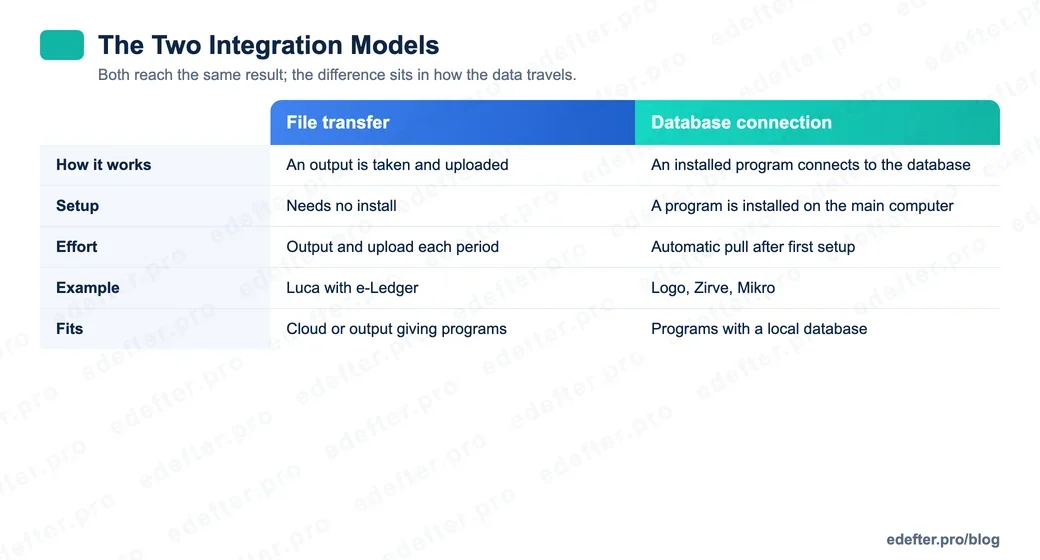
There are two basic ways to move data to the e-Ledger, and the difference sits in how the data travels. The table below places the two models side by side.
| Dimension | File transfer | Database connection |
|---|---|---|
| How it works | An output is taken and uploaded | An installed program connects to the database |
| Setup | Needs no install | A program is installed on the main computer |
| Effort | Output and upload each period | Automatic pull after first setup |
| Example | Luca with e-Ledger | Logo, Zirve, Mikro |
| Fits | Cloud or output giving programs | Programs with a local database |
In short: file transfer is simple and install free, but repeats each period. A database connection asks for a first setup, then leaves no manual work. One asks effort, one asks setup.
How does file transfer work?
File transfer is the plainest model. You take an output that holds the journal entries from your accounting program, then you upload that output to the e-Ledger system. The system reads the output and turns the records into a ledger. It needs no install, so you start fast.
The best known example of this model is Luca. Through Luca, a journal output is taken and uploaded to the system, and the ledger forms. We explained the detail in our Luca with e-Ledger guide. For cloud based programs or ones that can give a regular output, file transfer is a practical path.
The one thing to watch is that the work repeats each period. The output and upload step is done by hand. If your record volume is low, this is no problem; if it is high, a database connection saves time.
How does database-connected integration work?
In a database-connected integration, a small program steps in. This program is installed on the main computer where your accounting software runs, and it connects to the program's database. Once the connection is set, it reads records without a manual export and moves them to the e-Ledger side. The process runs like this:
- The integration program is installed on the main computer.
- The program connects to the accounting software's database.
- Journal entries are read straight from the database.
- The records turn into the e-Ledger form and the ledger is produced.
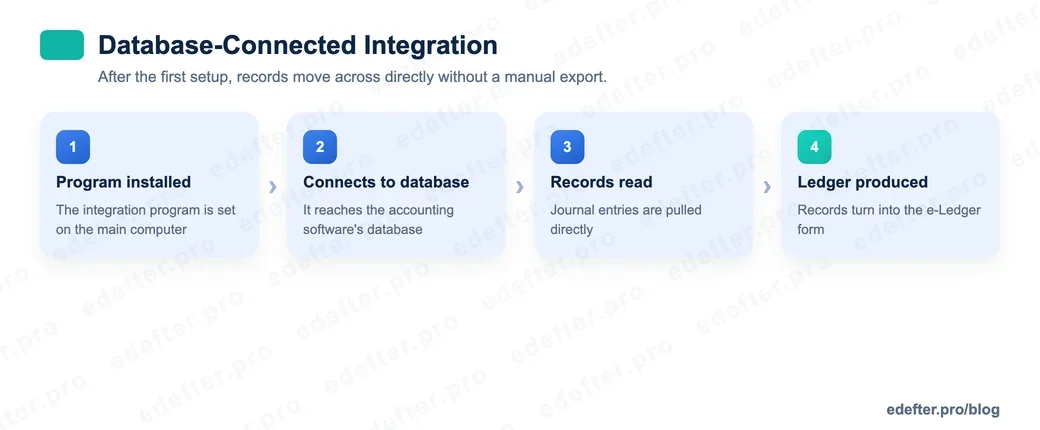
The edge of this model is that it leaves no manual work after the first setup. As records form in the program, they are ready to transfer. For common commercial programs that use a local database, this is the most efficient path.
Which programs does it work with?
Integration can be set up with most of the commercial accounting programs in wide use. Programs that use a local database, like Logo, Zirve and Mikro, fit the database-connected model. Programs that can give an output, like Luca, work with the file transfer model.
What matters here is not the program's name but how the data can be taken. If the program runs on a local database, a database connection can be set. If the program can give a regular journal output, file transfer is enough. At e-Defter PRO we support both models; we decide which one fits you by looking at the program you use. If you want to clear up the fit for your own program, you can write to us.
What are the benefits of integration?
The most concrete benefit of integration is that it removes manual data entry. The accountant at the start of this article spent half a day every month pulling and tidying a report. Half a day. Every month. After a database connection was set, that time fell to almost zero.
The second benefit is fewer errors. Manual entry and manual tidying inevitably breed typing and matching mistakes. When records move across directly, these mistakes are largely prevented. The third benefit is consistency. Records moved from the same source in the same form make the ledger's compliance with GİB rules easier.
Is a database connection safe?
This is a common and fair question. In a database-connected integration, the program is installed on your main computer and connects to the database from there. So the data stays on your business's own computer; the transfer process is under your control. Setup and connection rights rest with the business.
Still, as with any install, protecting the connection details and rights matters. You should install the integration program from a trusted source and close the connection settings to unauthorized access. When set up right, a database connection is both an efficient and an auditable path.
In Short
Integration is the bridge between your accounting program and the e-Ledger, and it is built in two forms: file transfer or a database connection. Choosing the right model cuts the time you spend and the errors you make each period. If you want to settle the model that fits your program, talk to our expert team.