
Luca users can create the e-Ledger without leaving their accounting program. The method is file transfer: the journal Excel export taken from Luca is uploaded to e-Defter PRO, and the system turns that export, in full, into an e-Ledger and berat in the XBRL GL format. It works with every Luca version that can produce a journal export. Both the taxpayer and the accountant can use the same flow.
Author: e-Defter PRO Content Team. The team that runs e-Ledger transfer from Luca and other accounting programs each month.
Last period an accounting office using Luca called. They were worried. "For e-Ledger, do we have to drop Luca and move to a new program?" they asked.
There was no need.
Luca stayed on the accounting side. The only thing that changed was how the e-Ledger files were produced. They uploaded the journal export they took from Luca, and e-Defter PRO handled the rest. In this article we explain that flow step by step. You can find what e-Ledger is in our guide on what e-Ledger is.
What You Need to Know
- e-Ledger with Luca is created by file transfer: a journal Excel export is taken from Luca and uploaded to e-Defter PRO.
- The system turns that export, in full, into an e-Ledger and berat in the XBRL GL format.
- Every Luca version and edition that can produce a journal export is supported.
- Both the taxpayer and the accountant can use the flow.
- You do not need to drop Luca; accounting stays in Luca, e-Ledger production runs in e-Defter PRO.
- You do not submit to GİB yourself; the system sends the berats automatically and pulls the GİB-approved berats back.
How is an e-Ledger created with Luca?
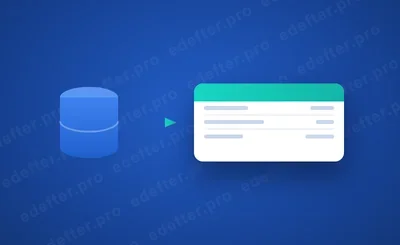
An e-Ledger with Luca is created by uploading the journal export taken from Luca to e-Defter PRO. The flow rests on file transfer, nothing heavier. You keep your books in Luca as usual, close the period, and pull the journal Excel output. Then you hand that one file to e-Defter PRO, which reads the entries and builds the e-Ledger and its berat in the XBRL GL format.
The logic here is to separate accounting from e-Ledger production. Luca is your accounting program, and it stays that way. e-Defter PRO is the layer that converts those records into the format GİB (the Revenue Administration) wants. The two systems talk through a single file. One file. That is all.
The advantage of this approach is that it does not disrupt your team's habits. Nothing to relearn. Accounting entries continue in Luca, and there is no new accounting program to learn. You only take an export at period end and upload it.
Do I have to drop Luca?
No, you do not have to drop Luca for e-Ledger. This is the concern we meet most in the field. Taxpayers and accountants often read the move to e-Ledger as "migrating to a new accounting program." Yet the two are separate.
Luca is where the bookkeeping lives. The e-Ledger is the legal electronic form of that same record, nothing more. e-Defter PRO never steps between you and Luca; it simply picks up your period entries and reshapes them into the format the tax administration expects. Your daily routine in Luca does not move an inch.
That is where the office from the opening found relief. They started producing e-Ledgers without changing the program they had used for years. The only change was an export-and-upload step at period end.
Which Luca versions are supported?
Every Luca version and edition that can produce a journal export is supported. The criterion is not the program's version number, but its ability to export the journal records as Excel. Version number does not matter. Every Luca setup that can produce this export works with e-Defter PRO.
This largely removes the compatibility question. No headache. You do not need to worry whether "our Luca version will fit"; if you can take the journal export, the transfer can be done. If you are unsure, you can see it quickly by running a test with the export you have.
Does the Luca export create the ledger in full?
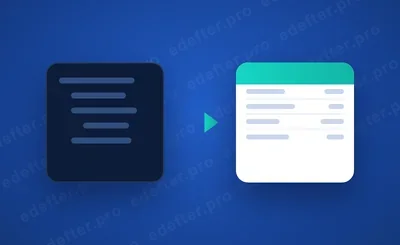
Yes, the journal export taken from Luca lets the e-Ledger be created in full. When the journal entries, account codes and amounts in the export are transferred to the system, the ledger is produced from them. The aim is to create the exact, complete equivalent of the record in Luca, in the GİB format. Nothing missing, nothing extra.
A safeguard layer comes in here. Before sending the file to GİB, e-Defter PRO runs Schematron and XBRL GL validation. So an inconsistency that could slip through in the transfer is caught before upload. Caught early, not after the penalty. It is a check that lowers risk. If the berat concept is unfamiliar, our guide on the e-Ledger berat helps.
Who can use this flow?
Both the taxpayer and the accountant can use the e-Ledger with Luca flow. Same steps for each. Take the journal export from Luca, upload it to e-Defter PRO, and create the ledger and berat.
For a business that wants its own ledger under its own eye, this is practical. For an accounting office juggling dozens of clients, the real gain is running all of them through one predictable flow instead of a patchwork of tools. Each taxpayer's Luca export is uploaded and its ledger produced, and upcoming berat dates are tracked on one screen. You can find the application steps in our how to apply for e-Ledger guide.
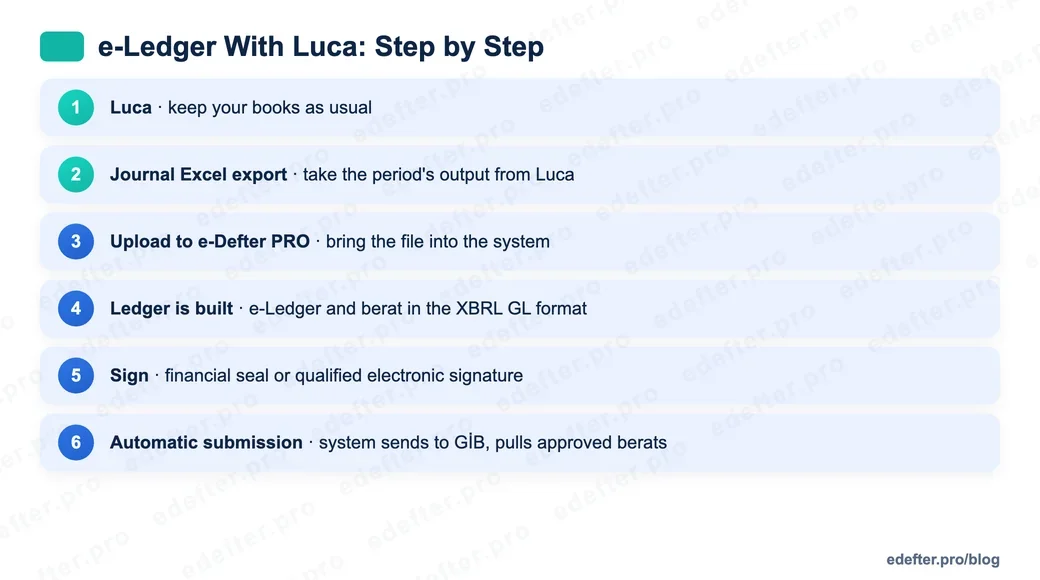
e-Ledger with Luca, step by step
The process starts with taking the export from Luca and ends with the GİB-approved berat. The steps are the same for both the taxpayer and the accountant.
- Process your records in Luca as usual.
- Take the journal Excel export for the relevant period from Luca.
- Upload the export to e-Defter PRO.
- Let the system turn the records into an e-Ledger and berat in the XBRL GL format.
- Sign the ledger with a financial seal or a qualified electronic signature.
- Submission is automatic: the system sends the berats to GİB and pulls the GİB-approved berats back.
These six steps become a routine task at period close. You can track upload deadlines on our submission deadlines page. If you want to see the setup and the flow together, talk to our expert team.
Move From Luca to e-Ledger
In short: you can produce an e-Ledger without dropping Luca. Take the journal export, upload it, and let the ledger and berat form on their own. The accounting flow you are used to does not change, only the file going to GİB is automated. The rest stays the same. If you want to see how it works with your own Luca export, talk to our expert team.