
The e-Ledger application is made through two channels: the e-Ledger portal (uyg.edefter.gov.tr/edefterbasvuru/) or the Digital Tax Office. Legal entities apply with a financial seal, and real persons with a financial seal or a qualified electronic signature. The Digital Tax Office channel allows an application with a username and password, even without a financial seal certificate. Once the application is approved, ledgers are produced with GİB-compliant software. GİB's e-Ledger portal does not create the ledgers; it only lets you upload the signed files and download their berats.
Author: e-Defter PRO Content Team. The team that runs the e-Ledger application and transition process for dozens of taxpayers each month.
Last month a client's accountant called. The application just would not move forward. The screen kept throwing an error. We looked, and the taxpayer was on the operating-account basis and was trying to apply to the wrong system instead of e-Ledger.
Wrong door.
That taxpayer belonged in the Defter-Beyan System, not e-Ledger. We fixed it in five minutes. But this is the most common confusion we see at application. Below we explain where to apply, then the step-by-step process, and the points where people get stuck. If you are not sure what e-Ledger is, take a look at our guide on what e-Ledger is.
For context, Turkey's digital tax system is run by GİB, the Revenue Administration, and e-Ledger applications go through its channels.
What You Need to Know
- The application is made through two channels: the e-Ledger portal (uyg.edefter.gov.tr/edefterbasvuru/) or the Digital Tax Office.
- For a legal entity, a financial seal is mandatory. A real person can use a financial seal or a qualified electronic signature (NES).
- The Digital Tax Office channel allows an application with a username and password, even without a financial seal certificate.
- GİB's e-Ledger portal does not create the ledgers; it only lets you upload the signed files and download their berats. Creating the ledgers requires a GİB-approved compliant software or an integration.
- In a voluntary application, the start date is chosen as the beginning of the month following the application at the earliest. In a mandatory transition, the date is fixed by legislation.
Where do you apply for e-Ledger?
The e-Ledger application is made through two official channels. The first is the application page of the e-Ledger portal (uyg.edefter.gov.tr/edefterbasvuru/). The second is the Digital Tax Office. Both submit the same application to GİB; the difference between them is the login method.
Which channel you choose depends on the identity tool you hold. If your financial seal is ready, you can use either channel. If all you have is a tax office username and password, the Digital Tax Office channel is more practical for you. This channel, with the guide update at the end of 2024, made it possible to apply even without a financial seal certificate. The table below makes the choice easier.
| The tool you hold | Suitable channel |
|---|---|
| Financial seal (legal entity) | e-Ledger portal or Digital Tax Office |
| Financial seal or NES (real person) | e-Ledger portal or Digital Tax Office |
| Only a username and password | Digital Tax Office |
What do you need before applying?
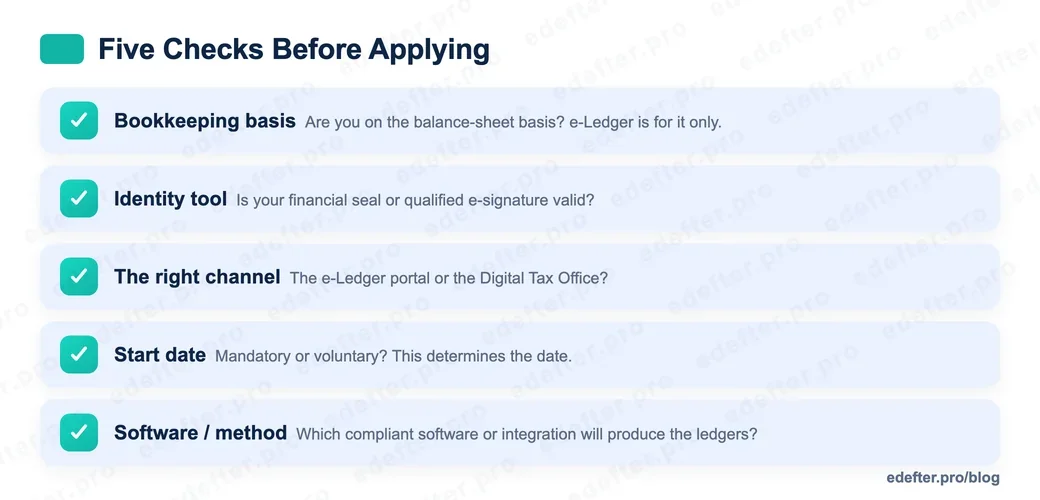
Before sitting down to apply, we recommend clarifying five things. In the field, an application by a taxpayer who runs these five checks almost never bounces back. We call it, in short, the "Five Checks Before Applying."
- Bookkeeping basis: Do you keep books on the balance-sheet basis? e-Ledger is for the balance-sheet basis only. If you keep an operating-account book or a self-employment ledger, your place is the Defter-Beyan System.
- Identity tool: Is your financial seal or qualified electronic signature valid? An application with an expired seal will not go through.
- The right channel: Have you decided which channel to enter through, per the table above?
- Start date: Are you mandatory or moving voluntarily? This determines the date you will choose.
- Software or method: With which compliant software or integration will you produce the ledgers?
If you have ticked these five items, the application drops to a twenty-minute task. If you have not, it usually stops halfway and you start over.
How do you obtain a financial seal or e-signature?
A financial seal is obtained from the TÜBİTAK Public Certification Center (Kamu SM). For legal entities this is the basic requirement to apply. The process runs through Kamu SM's online transactions page: the application is created, payment is made, and once the payment goes through the certificate is produced and sent to the organization.
Real persons have two options. They either obtain a financial seal or use a qualified electronic signature they already hold. For a real-person taxpayer who already has an e-signature, obtaining a separate financial seal is often unnecessary.
On the fee side, a clear note. The financial seal cost is set by the Kamu SM tariff and is updated from time to time. The figures floating around online often conflict, so we recommend confirming the current amount directly through Kamu SM. Budgeting on a wrong figure tends to create surprises later.
How do you apply for e-Ledger, step by step?
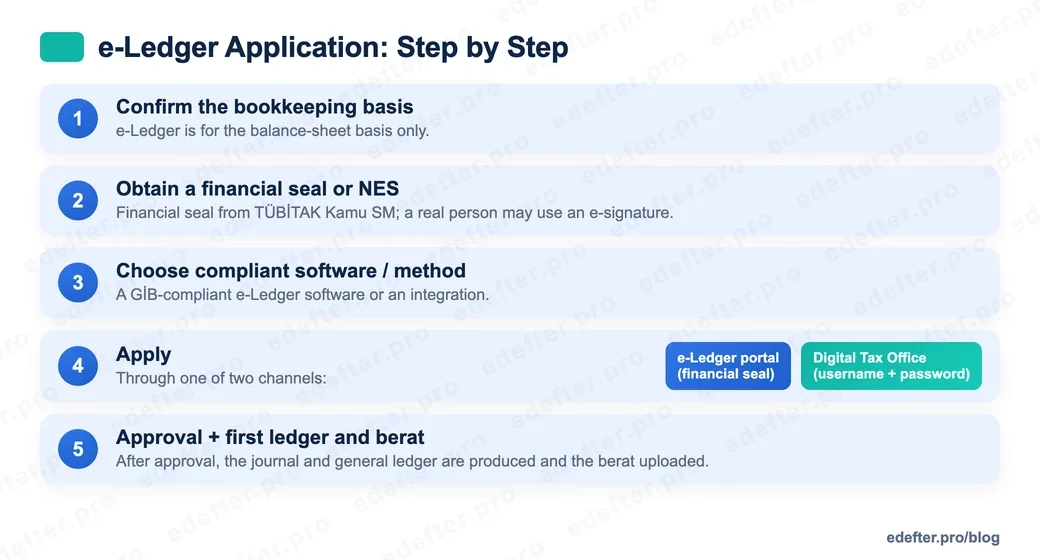
If your identity tool and channel are ready, the application is completed in a single session. The steps are essentially the same in both channels; only the login method changes. Same steps, different door. The order below covers both.
- Confirm your bookkeeping basis. If you are on the balance-sheet basis, continue.
- Prepare your identity tool: a financial seal or a qualified electronic signature.
- Decide on the compliant software or integration method with which you will produce the ledgers.
- Log in to your channel. Use a financial seal on the e-Ledger portal, or a username and password at the Digital Tax Office.
- Fill in the application petition: start date, trade registry number and contact details.
- Check the summary screen, submit, and complete the verification step.
When your application is recorded in the system, you receive a confirmation. What follows is producing your first-period ledger and uploading its berat.
Which start date should you choose?
The start date determines the period from which you will begin keeping an e-Ledger, and it should be chosen carefully. In a voluntary, that is optional, application, the date is usually chosen as the beginning of the month following the application. Choosing the application day or the registration day leads to period confusion.
If you are moving under an obligation, the situation is different. In that case the start date depends not on your choice but on the legislation. We cover who enters the scope when, and the date rules, in detail in our e-Ledger transition thresholds guide. If you are unsure, consult your accountant before choosing the date.
What happens after the application?
Once the application is approved, ledger production is next. Let us correct a widespread misunderstanding here. GİB does have an e-Ledger portal, but it does not create the ledgers. Upload and download. That is its job: you send signed e-Ledger files and pull the GİB-approved berats back. Producing the ledger itself, however, requires a GİB-approved compliant software or an integration.
You choose one of two methods. You either use a compliant e-Ledger software or integrate your own system with GİB. GİB publishes the list of the compliant software it has approved on its own site. Once the method is set, your first-period journal and general ledger are produced, their berats are created and uploaded to GİB. You can find the berat upload deadlines on our submission deadlines page.
At e-Defter PRO we run this flow, from application to the first berat, from a single place.
What are the most common mistakes in the application?
The places where applications get stuck usually come from a few recurring mistakes. We have listed the four we see most often.
- Applying to the wrong system. A taxpayer on the operating-account basis trying to apply for e-Ledger. The right place is the Defter-Beyan System.
- Confusing it with e-Invoice. The assumption that "we moved to e-Invoice, so the ledger is done too." They are separate applications.
- The wrong start date. Choosing the application or registration day and shifting the period.
- An expired financial seal. Applying with a seal that has expired or been revoked.
An application by a taxpayer who rules out these four from the start very rarely bounces back. Rule them out first. The reason for the phone call in the opening was exactly the first item.
Are You Ready to Apply?
This week, do one thing: compare the "Five Checks Before Applying" list above against what you hold. If an item is missing, complete it first, then sit down to apply. Where you get stuck, talk to our expert team and we will look at the right channel together.